A screenshot utility for the Mac menu bar
Grab it. Mark it up. Move on.
Sniplark takes a screenshot of any part of your screen, lets you draw on it, and gets it out the door. A knife and fork, not a thirty-tool Swiss Army knife.
Free, with a $4.99 one-time Pro unlock. Nothing is stored, nothing is uploaded. macOS 14 Sonoma or later.
How it works
One shortcut, five tools, one key to export
Press ⇧⌘2
The screen freezes and you drag out the part you want. Click without dragging for the whole display, or press ⇧⌘1 to skip straight to it. Both shortcuts are yours to change.
Draw on it
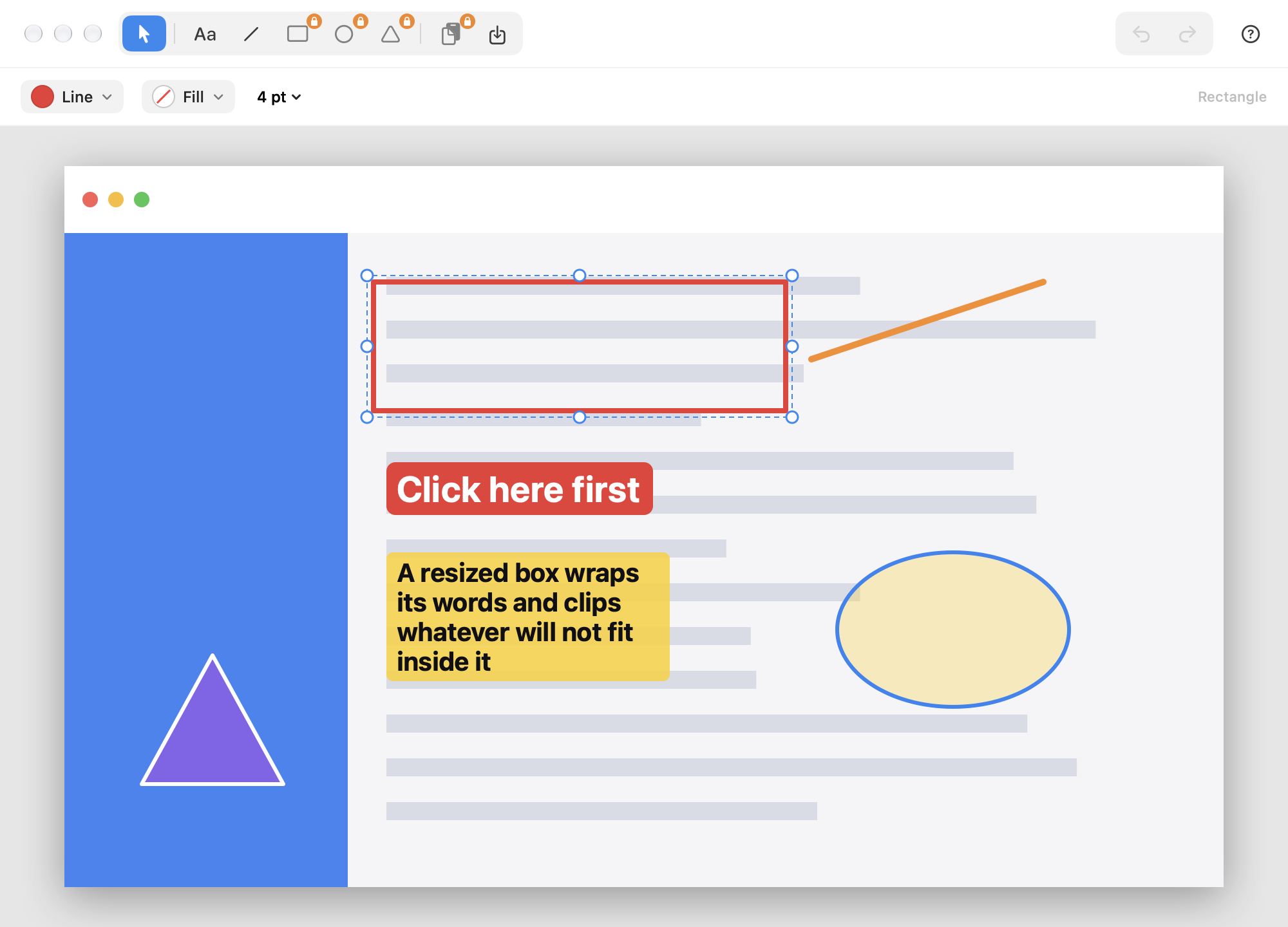
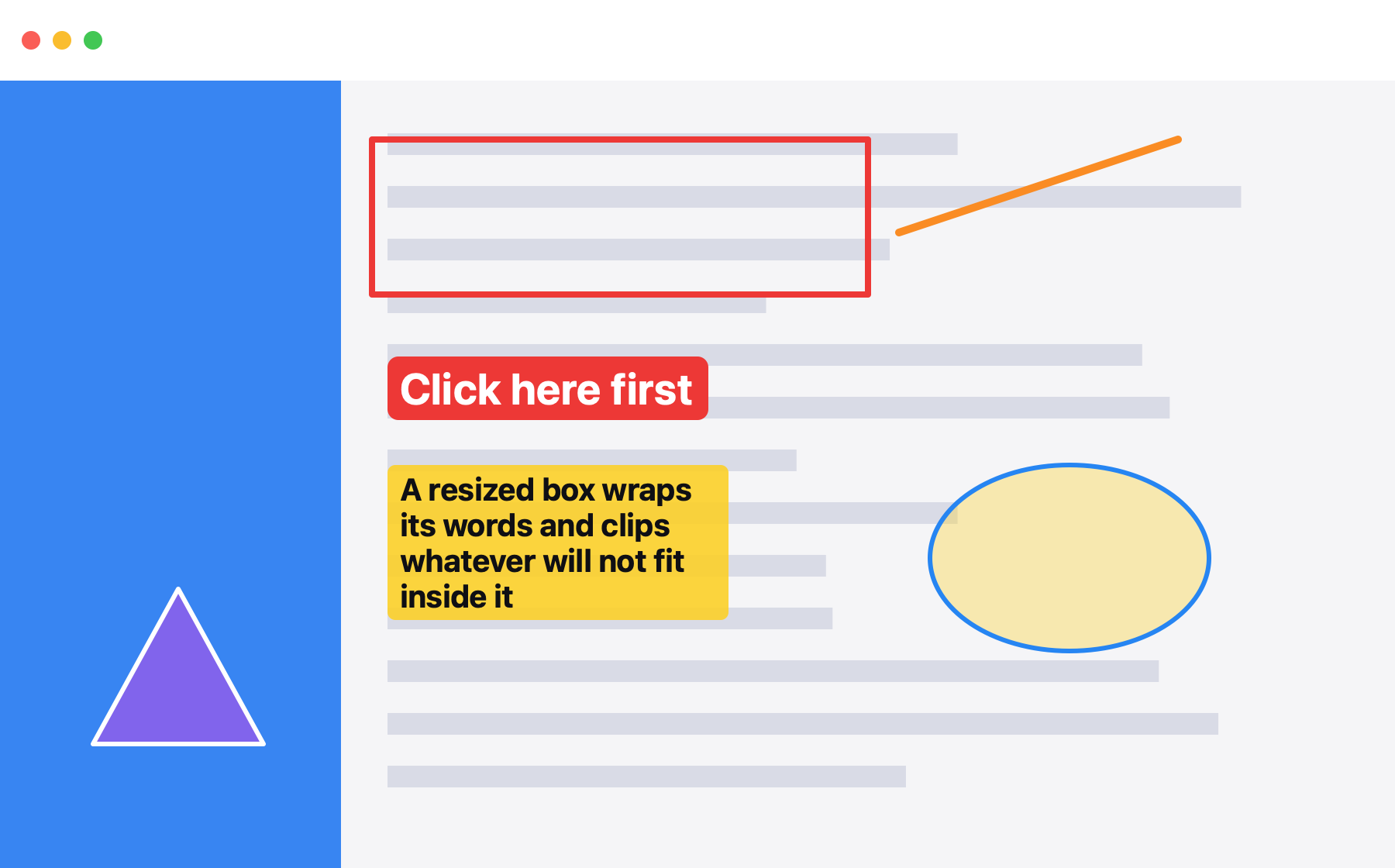
A rectangle around the button, a line to the problem, a word or two in a coloured label. Five tools, each with stroke, fill, and thickness. Move, resize, nudge, undo as often as you like.
Send it on
Save a PNG at the display’s native resolution with ⌘S, or copy it to the clipboard with ⇧⌘C and paste it into the chat, the ticket, or the email. Close the window and the screenshot is gone.
Why it exists
You need a knife and fork to eat a steak. Not a Swiss Army knife.
Every screenshot app we tried kept growing: cloud libraries, scrolling capture, video, OCR, team workspaces, a subscription. Taking a quick screenshot got slower every release. So we built the small one.
Sniplark does the part you actually do fifteen times a day, and stops there.
Sniplark does
- Capture an area or the whole screen from a global shortcut
- Line, rectangle, ellipse, triangle, and text
- Stroke colour, fill colour, line thickness, font, size
- Select, move, resize, nudge, duplicate, reorder, delete
- Unlimited undo and redo
- Export a PNG at native resolution, or copy it to the clipboard
- A searchable Help window for the three times you need it
Sniplark will not
- Upload your screenshots anywhere
- Keep a library of everything you ever captured
- Ask you to make an account
- Record video, scroll-capture, or run OCR
- Charge you every month
- Put thirty tools in a sidebar you have to scroll
What you get
Small, not slight
Nothing is stored
A screenshot lives in the editor window and nowhere else. Close the window and it is gone. No history, no cloud, no sync, no account, no analytics in the app.
Fast from the first second
Sniplark sits in the menu bar and waits. The shortcut freezes the screen at once, the editor opens on the spot, and you are drawing before most apps have shown a splash screen.
Edit everything
Every shape stays a shape. Select it, drag the handles, nudge it with the arrow keys, change its colour, duplicate it with ⌘D, send it behind another with ⌘[. Text edits in place while the style bar updates live.
Undo without limits
Draw the arrow in the wrong place, change your mind about the colour, delete the wrong box. ⌘Z all the way back, ⇧⌘Z all the way forward.
Pixel for pixel
The exported PNG is at your display’s native resolution, so a Retina capture stays sharp when it lands in the design review or the bug report.
Help that fits in one window
Press ⌘? for a searchable Help window that covers capturing, every tool, text, styling, exporting, shortcuts, and what to do when macOS asks about Screen Recording.
The export
What comes out is exactly what you drew
The PNG is rendered from the same shapes you see in the editor, at your display’s native resolution. No compression, no watermark, no “made with” footer.
- ⌘S saves a PNG wherever you choose
- ⇧⌘C copies a PNG to the clipboard (Pro)
- Hold ⇧ while drawing for a square, a circle, or a 45° line
- Hold ⌥ to keep the tool active for the next shape
Pricing
Free to use. $4.99 once for Pro.
The free edition is a complete screenshot tool: capture, text, lines, editing, undo, PNG export. Pro adds the three shape tools and copy to clipboard. Pay once in the Mac App Store and it is yours on every Mac with your Apple Account.
No subscription. No trial that quietly ends. No nag screen on the way out.
| Free | Pro | |
|---|---|---|
| Capture area or full screen | ||
| Text and line tools | ||
| Edit, move, resize, undo | ||
| Export as PNG | ||
| Rectangle, ellipse, triangle | – | |
| Copy PNG to clipboard | – | |
| Price | Free | $4.99 once |
Questions
Straight answers

Grab it. Mark it up. Move on.
One shortcut to capture, five tools to annotate, one key to export. That is the whole app, on purpose.
Coming soon to theMac App StoreFree to download. $4.99 once for Pro, no subscription. Requires macOS 14 Sonoma or later.
 product © 2026